


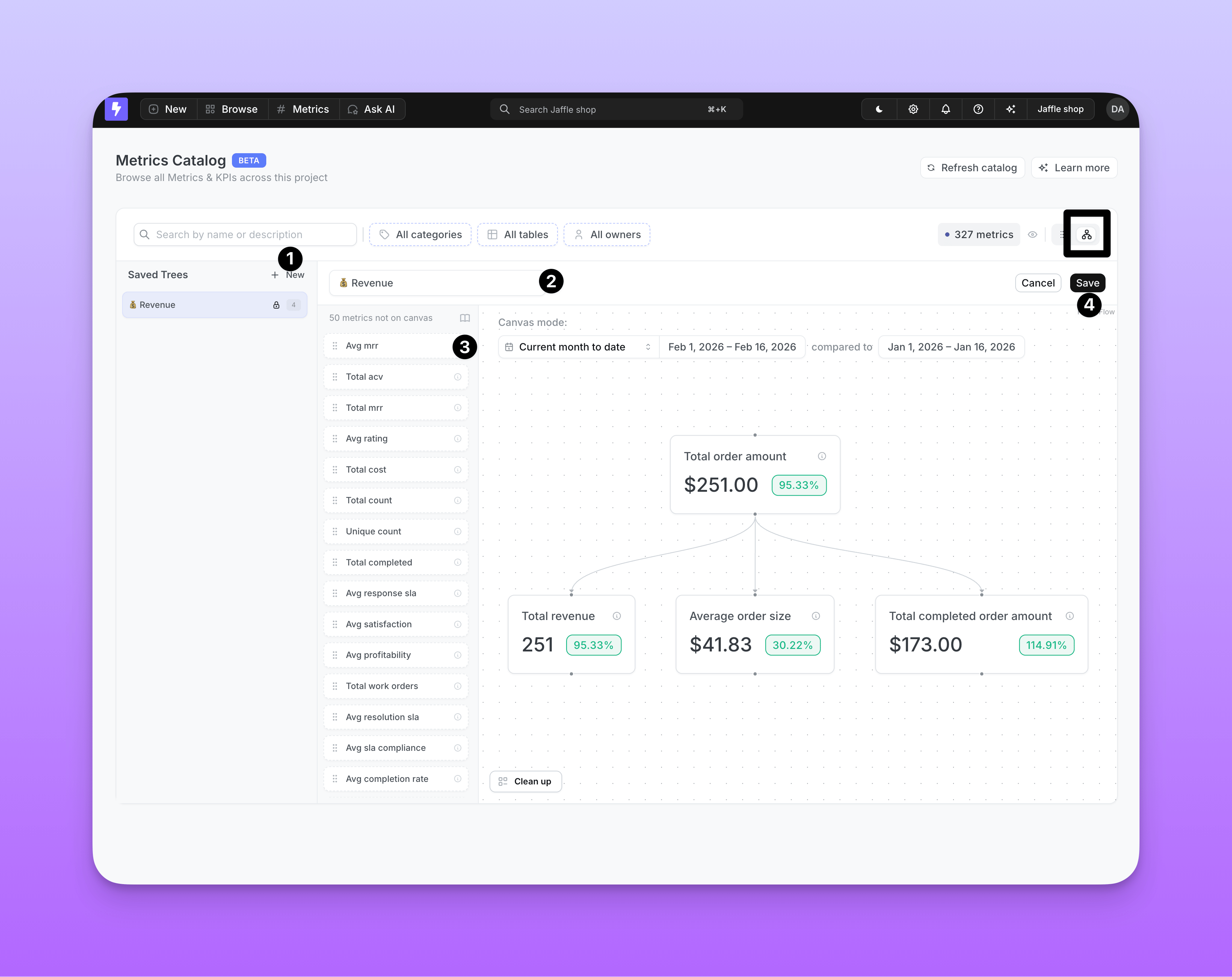
Creating a Saved Tree
- Start a new tree: In the Saved Trees sidebar, click New to enter edit mode, and type a name in the text input at the top of the canvas.
- Find your metrics: Use the search bar, categories, or table filters to narrow down the metrics sidebar. Click Load more at the bottom to pull additional metrics from the catalog.
- Add metrics: Drag metrics from the sidebar onto the canvas.
- Create connections: Drag between node handles to draw edges representing relationships and dependencies. Metrics with drivers defined in
.ymlget their edges drawn automatically. - Remove nodes: Select a node and press Backspace to delete it.
- Save: Click Save. The button is disabled until you provide a name and add at least one node.
Driver edges are not stored with the tree — they are injected automatically whenever matching nodes are present.